From vocabulary to workflows, this guide shows how legal professionals can use AI responsibly, verify outputs, and turn everyday tasks into high confidence work.
Highlights
- AI skills for legal professionals are becoming essential, distinguishing between basic usage and strategic application.
- Four core AI skills include framing problems, prompting with context, evaluating outputs, and building reusable workflows.
- Legal professionals progress through four stages: curious, capable, confident, and compounding in AI adoption.
AI skills for legal professionals are becoming the dividing line. Using AI and being skilled with AI are not the same thing, and the gap between them is starting to show up in the work.
A junior associate who pastes a question into ChatGPT and copies the answer is using AI. A litigation paralegal who frames the problem clearly, gives the model the right context, evaluates the output against the record, and turns the result into a reusable workflow is doing something else entirely.
That’s a skill set, and in a profession where judgment is the product, it’s the part that actually matters.
The tool will change. The skill is what you keep. This guide is about how to build it.
Jump to ↓
The terms every legal professional should know about AI
The four AI skills every legal professional needs
From curious to confident: a practical progression
AI skills as the new legal baseline
See what professional-grade AI looks like

Evaluating AI solutions for legal professionals
What to look for, what to ask, and what separates professional-grade legal AI from general tools
Get the evaluation guide ↗
The terms every legal professional should know about AI
You don’t need a computer science degree to use AI well. You do need vocabulary. Six terms cover most of what you’ll run into:
Prompt — the instruction you give the model. The clearer the prompt, the better the output. For tactical depth, see our guide to effective legal AI prompts.
Context — the documents, facts, or background you provide alongside the prompt. Most legal AI errors come from missing context, not bad models.
Hallucination — when a model confidently produces something false. This famously includes invented case citations. Always verify.
Grounding — anchoring the model’s response in trusted source material (a contract, a brief, a statute) as opposed to letting it answer from memory. See, Why legal agentic memory systems need a fiduciary standard.
Retrieval-augmented generation (RAG) — the technical name for grounding a model in a curated knowledge base. This is what separates professional-grade legal AI from general-purpose chatbots.
Agent — an AI that takes a sequence of steps on your behalf rather than answering one question at a time. Increasingly common in legal workflows.
The four AI skills every legal professional needs
Across attorney, paralegal, in-house, and legal operations roles, four skills do most of the work — whether you’re using generative AI in legal work for research, drafting, or analysis.
1. Framing the problem. Before you type anything, name what you’re actually trying to do. “Summarize this deposition” is a wish. “Pull every reference to the date of the agreement and flag any inconsistency with the executed version” is a task. The skill is articulating what you want with precision — something you already do every day when you assign work to a colleague.
2. Prompting with context. A good prompt has three parts: a clear instruction, the relevant material, and the format you want the answer in. Most disappointing output comes from skipping the second part. Give the model the contract, not your memory of the contract.
3. Evaluating the output. AI is fast and confident — even when it’s wrong. Your training in skepticism, sourcing, and judgment is exactly the skill that makes you valuable in this loop. Don’t outsource it. Read what the model produced the way you’d read a new associate’s first draft: trust nothing without checking.
4. Building reusable workflows. Individual prompts are useful. Saved, tested, shared prompts are leverage. The legal professionals pulling ahead are the ones turning a good prompt into a template, a template into a checklist, and a checklist into a team practice. That’s where personal skill becomes firm or department capability.

In Brief Newsletter
AI-powered success stories from your peers, how to get the most out of AI in your legal practice, enhancements to our AI-powered solutions, and new training opportunities
Register for In Brief ↗From curious to compounding: a practical progression
Most legal professionals sit in one of four AI adoption stages today:
Curious: You’ve read about AI and maybe tried tools like ChatGPT once or twice, but haven’t built it into your workday.
Capable: You use it regularly for first drafts, summaries, or research starts. Results are mixed.
Confident: You’ve internalized the four skills above. You know when AI helps and when it doesn’t, and your outputs are consistent.
Compounding: Your prompts and workflows save hours every week, and your team is reusing what you’ve built.
The goal isn’t to leap to compounding overnight. It’s to take one deliberate step from where you sit. If you’re curious, get capable: pick one task you do every week and try it with AI this week. If you’re capable, get confident: start saving the prompts that work and refining the ones that don’t. If you’re confident, share what’s working with your team — that’s where the compounding starts.
AI skills as the new legal baseline
AI literacy for lawyers is moving from a competitive advantage to a presumed competency. Bar associations are publishing AI guidance for the profession. RFPs are starting to ask about AI capability. Performance reviews are factoring it in. The legal professionals who lean into the four skills above won’t just keep up — they’ll set the pace for what good legal work looks like over the next decade.
The good news: legal training is unusually well-suited to AI work. You already know how to articulate a problem, gather context, evaluate evidence, and build repeatable systems. Those are the four skills above. You’re not starting from zero — you’re translating skills you already have into a new medium.
See what professional-grade AI looks like
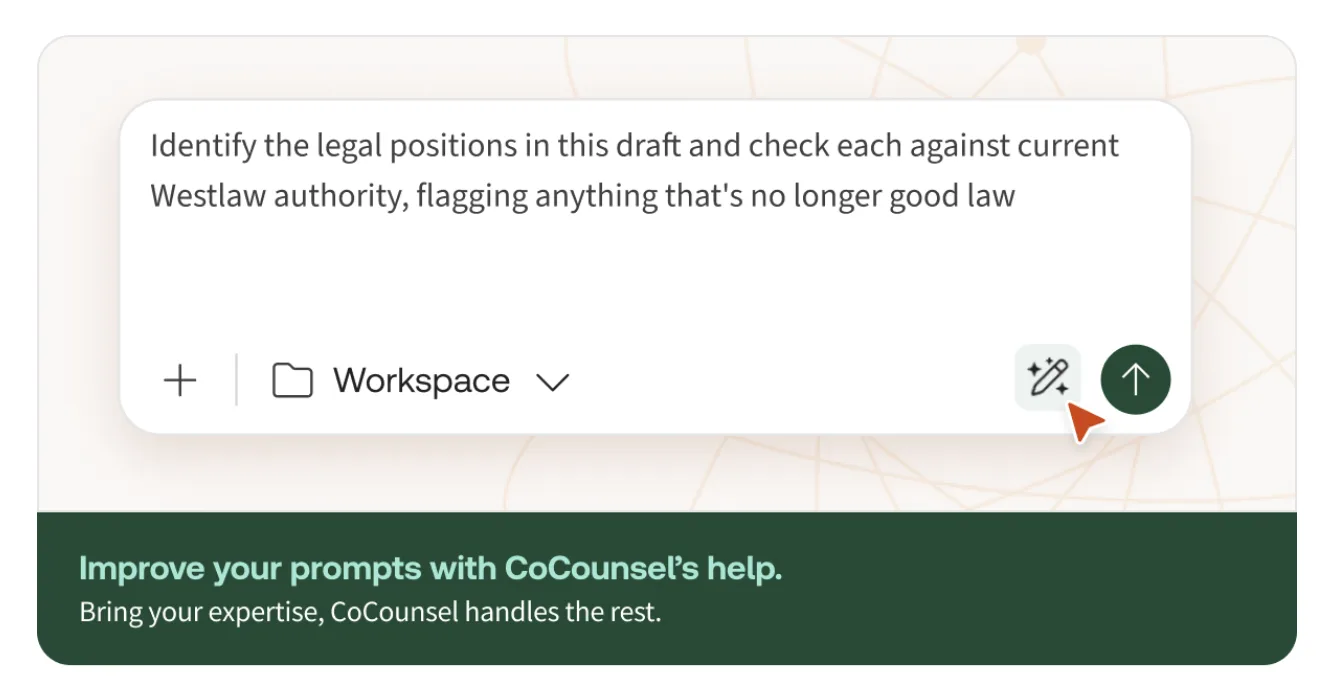
The right tools make the skills easier to apply, whether you’re starting with AI for legal research or moving into drafting, review, and analysis. CoCounsel Legal is purpose-built for legal work — grounded in trusted content, designed around the way legal professionals actually think, and engineered to keep you in control of the output. If you want to see what AI looks like when it’s built for your profession.
CoCounsel Legal
Quickly turn a single request into a polished draft grounded in trusted content and prior-matter context with no prompt engineering required
Learn how ↗