Highlights
- Federal courts face rising caseloads while pro se, AI-generated filings grow rapidly and often go unverified.
- CoCounsel Legal ships a suite of new and curated prompts and workflows organized around Review, Prepare, and Draft tasks.
- Every workflow cites authoritative Westlaw and Practical Law sources, keeping judges in control of the decision.
Courts don’t have a technology problem. They have a volume problem, a verification problem, and an awareness problem. CoCounsel Legal addresses all three a suite of new and curated prompts and workflows built specifically for the judicial user — not to replace judicial decision-making, but to give judges and their chambers a faster, more reliable way to exercise it.
Jump to ↓
Three pressures reshaping the bench
New judicial capabilities, one trusted platform
Why this matters in today’s judicial climate
Three pressures reshaping the bench
1. The docket keeps growing, and the law still has to be applied consistently.
Every judge already knows this from the inside: heavier caseloads, longer filings, and competing briefs that all need to be synthesized, checked against precedent, and resolved on a schedule that doesn’t bend to match the volume. The challenge isn’t understanding the law — it’s finding time to apply it carefully to everything in front of you.
2. AI is already in the courtroom, whether or not chambers asked for it.
Litigating attorneys, court staff, and self-represented litigants are using generative AI in their filings today. That creates a new risk: without a fast, thorough way to verify that work, errors and fabricated citations can slip toward becoming precedent instead of getting caught before the decision.
The trend lines make the case. Since generative AI went mainstream in 2022, federal courts have seen:
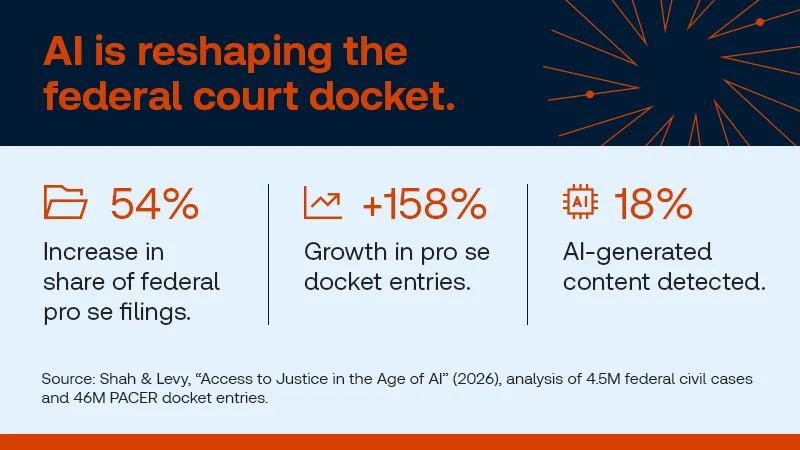
And that’s the federal picture. State and local courts, often with fewer resources and less staff support, are almost certainly feeling this pressure even more acutely.
3. The tools that exist weren’t built with judges in mind.
Most legal AI tools were designed primarily for attorneys and law firms, leaving judges to adapt workflows that don’t always align with the realities of judicial work. Many judges already have access to AI-powered research and drafting tools, but tell us the same thing: they don’t always know what those tools can do for chambers, and the capabilities that would help them most aren’t always easy to find. The challenge isn’t just access to technology—it’s access to capabilities tailored to judicial responsibilities and workflows.
New judicial capabilities, one trusted platform
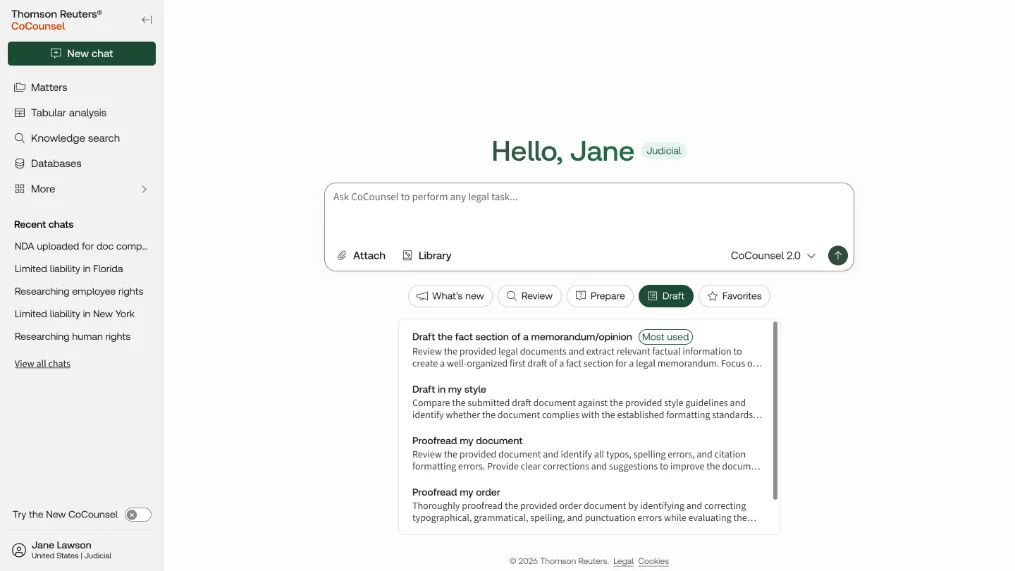
CoCounsel Legal ships a suite of new and curated prompts and workflows designed for trial, intermediate appellate, and supreme court judges. Each one is a purpose-built prompt or workflow. Users select the task they want to complete, upload the relevant filings and materials, and CoCounsel Legal performs the underlying synthesis and analysis—allowing chambers to spend less time assembling information and more time evaluating it. They fall into three categories:
Review — Analyze and refine existing materials, from factual records to draft court documents, helping chambers identify issues, improve quality, and work more efficiently. Includes Draft the Fact Section of a Memorandum/Opinion, Proofread My Order, and Proofread My Document, and Statute of Limitations Checker.
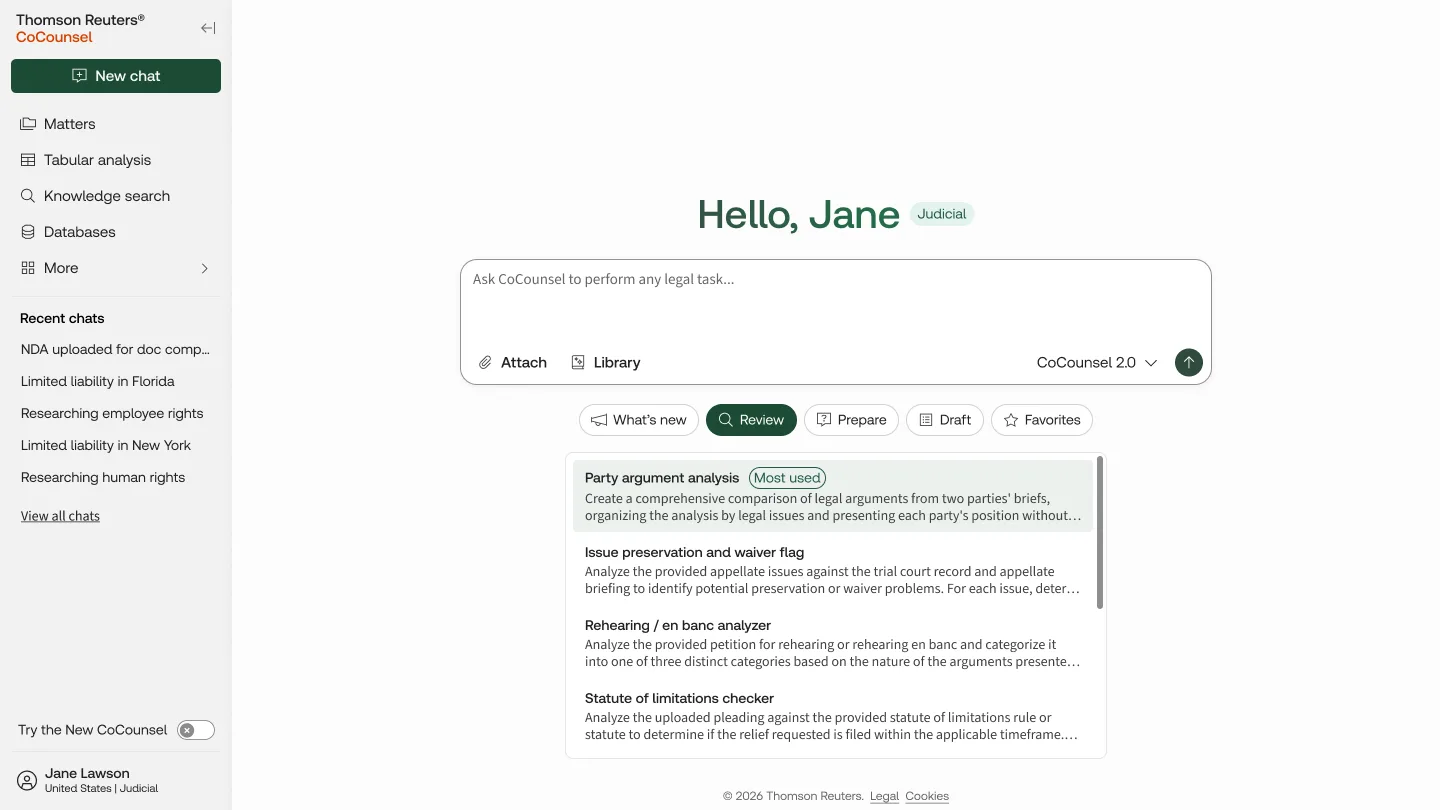
Research — Explore legal questions and authorities using Deep Research to quickly surface relevant law, competing arguments, and key considerations. Oral argument prep, evidentiary hearing prep, and petition screening. Walk into argument or a hearing with the key issues, competing positions, and open questions already surfaced.
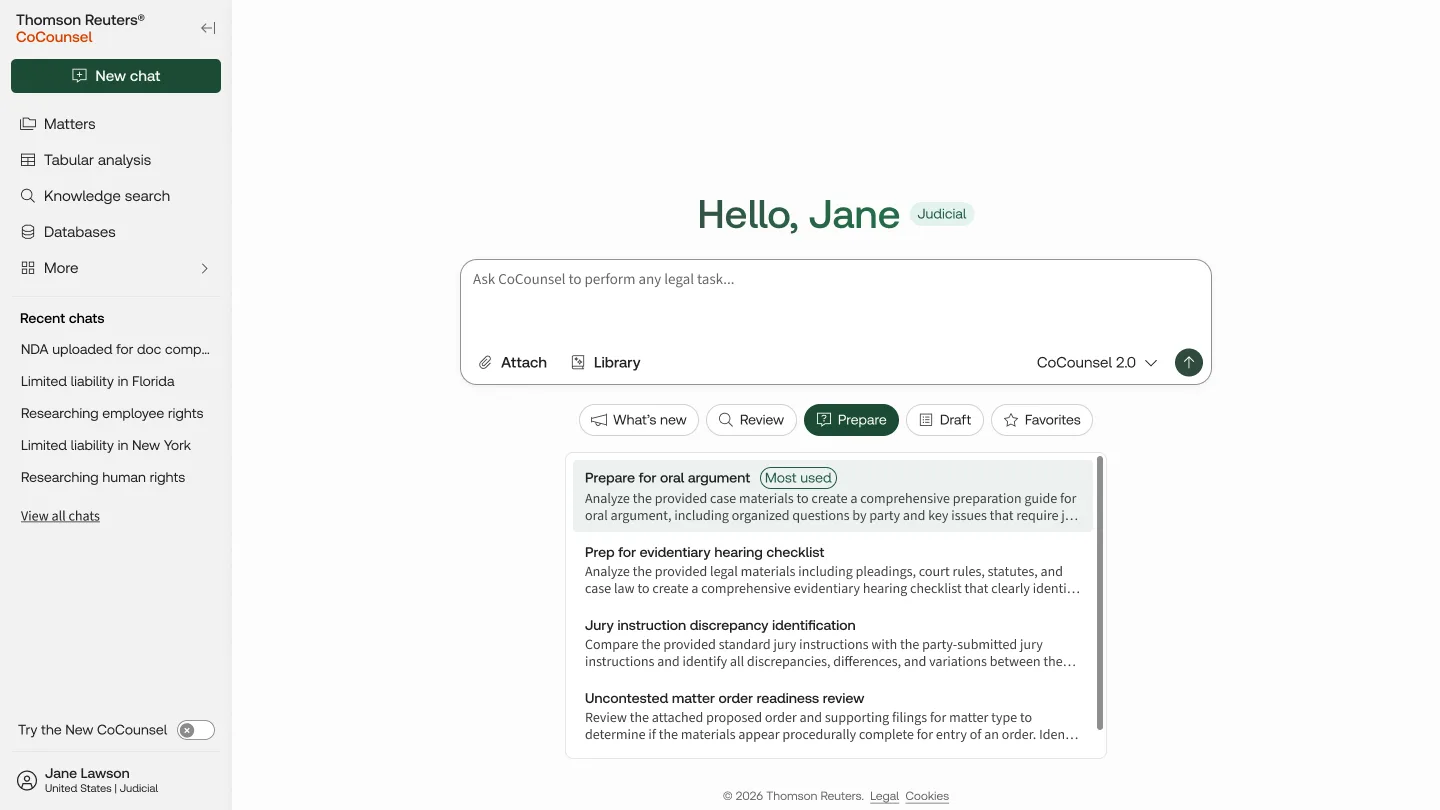
Draft — Standardize Pro Se Briefs. Streamline routine drafting and document preparation tasks, allowing chambers to devote more time to judicial analysis and decision-making.
Each workflow leverages trusted Thomson Reuters content, including Westlaw and Practical Law resources where applicable, and provides citations linked directly to authoritative source material.
That transparency matters most here: these tools are built to help judges verify and move faster, not to make the call for them. CoCounsel Legal is designed to enhance judicial decision-making, and it stays neutral by design — it’s a tool for rigor and speed, not a substitute for the judgment the role requires.
Why this matters in today’s judicial climate
This isn’t a general-purpose AI feature set retrofitted for courts. It’s a purpose-built response to what judges have actually told us: workload keeps growing, unverified AI-assisted filings are a live risk to the integrity of the record, and the tools available to them so far haven’t been easy to find or clearly matched to their work. A suite of new prompts and workflows, organized around how judges actually move through a matter — Review, Prepare, Draft — mark that response.