CoCounsel Legal features
AI you can stake your reputation on
Handle research, analysis, and drafting from a single query with CoCounsel Legal — grounded in Westlaw, Practical Law, and your organization's own knowledge at every step
Legal research and discovery
Ask your legal question in plain language and CoCounsel Legal — engineered to work at the level of a senior associate — reasons through it, planning an approach and working through each step with authoritative Westlaw and Practical Law content.
Deep Research
Get a thorough analysis of your legal question, then watch as Deep Research works through it step by step, retrieving relevant material and building context on your matter along the way. It addresses each issue, clearly explains its reasoning, and delivers a complete, fully cited report grounded in Westlaw and Practical Law — surfacing insights you might otherwise miss.
Reduce complexity and work through legal questions faster and with more precision using CoCounsel Legal
Have questions? Contact a representative.
Document analysis and review
Turn complex documents into clear, defensible answers. Extract facts, identify issues, and surface critical findings with every insight fully traceable back to its source.
Tabular Analysis
Automate large-scale document review to answer up to 100 questions across as many as 10,000 documents at once. Results land in a single interactive table — filterable, sortable, and footnoted directly to the source — so you can verify any answer without reopening the original file.
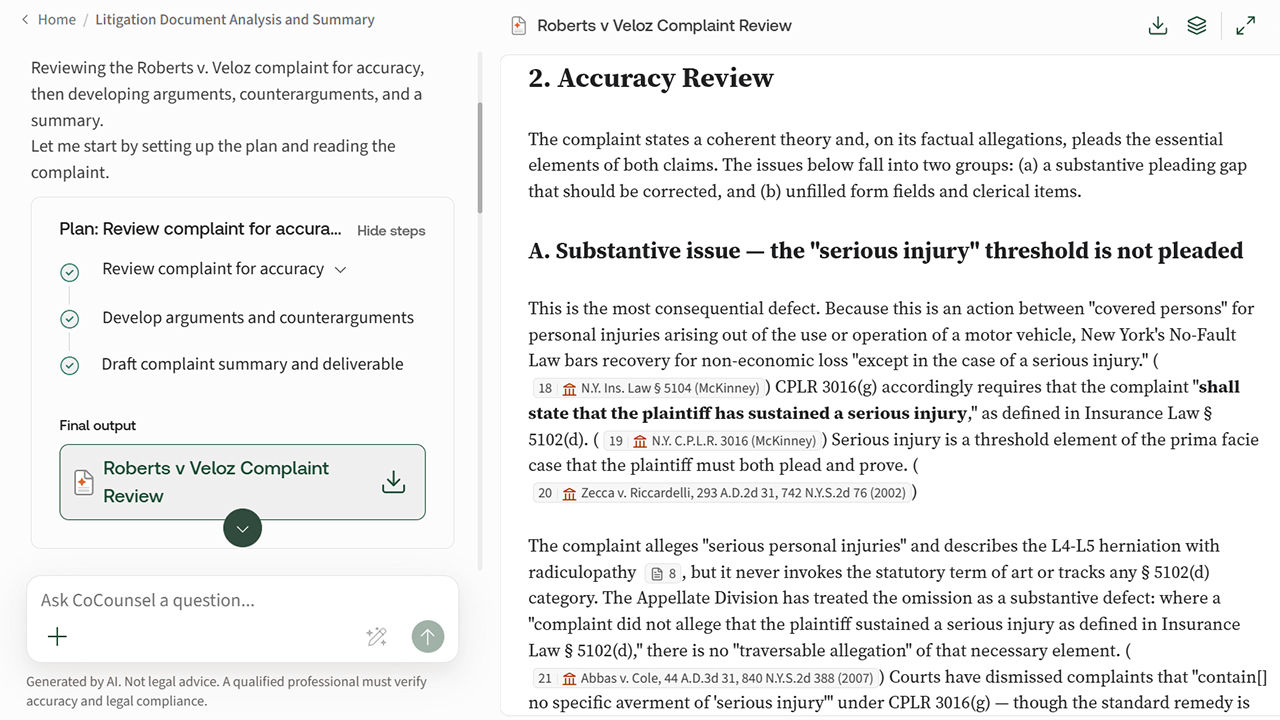
Litigation Document Analyzer
Upload complaints, discovery, filings, or contracts and receive a structured analysis — key facts extracted, issues flagged, and every finding linked back to its exact source document and page. The same rigor applies whether you're reviewing one document or thousands.
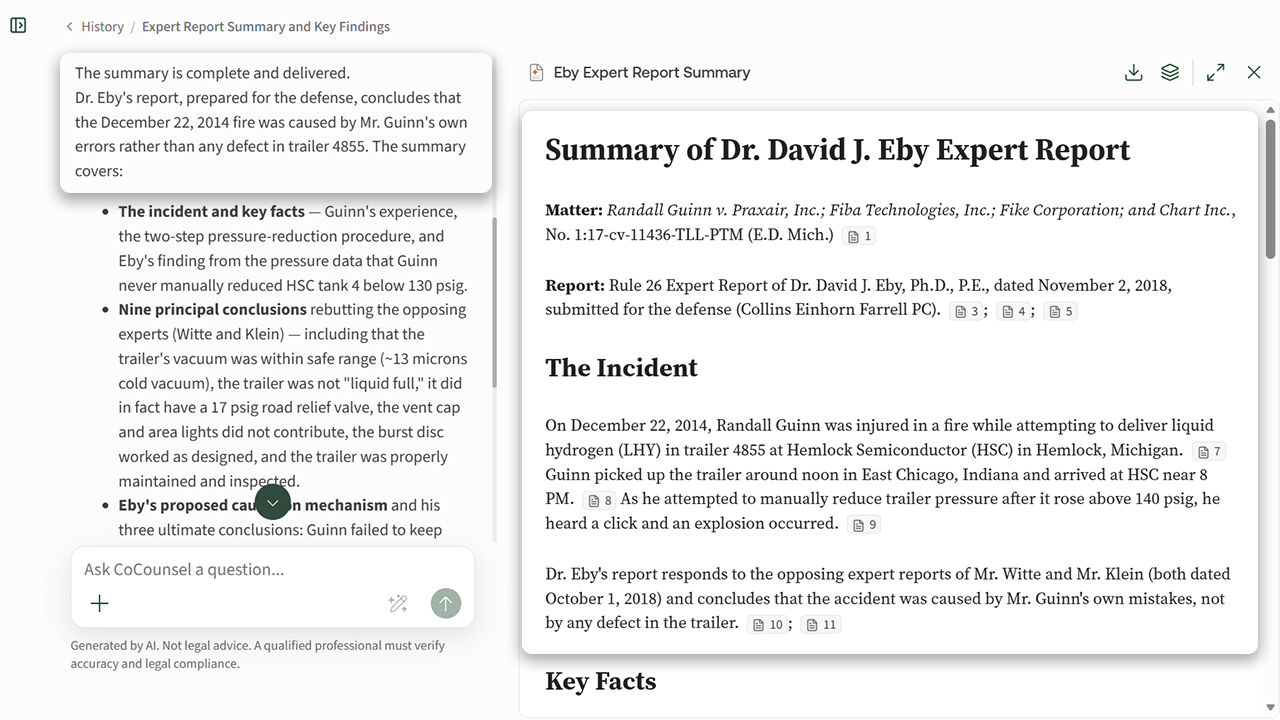
Summarize, Review, & Compare Documents
Quickly comprehend information within long, complex documents. Ask in-depth questions and receive substantive analysis — complete with citations — plus assess similarities, differences, and favorability between them.
Review and analyze your documents with confidence, no matter the volume
Have questions? Contact a representative.
Legal drafting
Create work product that reflects how your organization practices law. Draft step by step using trusted guidance from Westlaw, Practical Law, and your internal knowledge, with full visibility into the sources behind every recommendation.
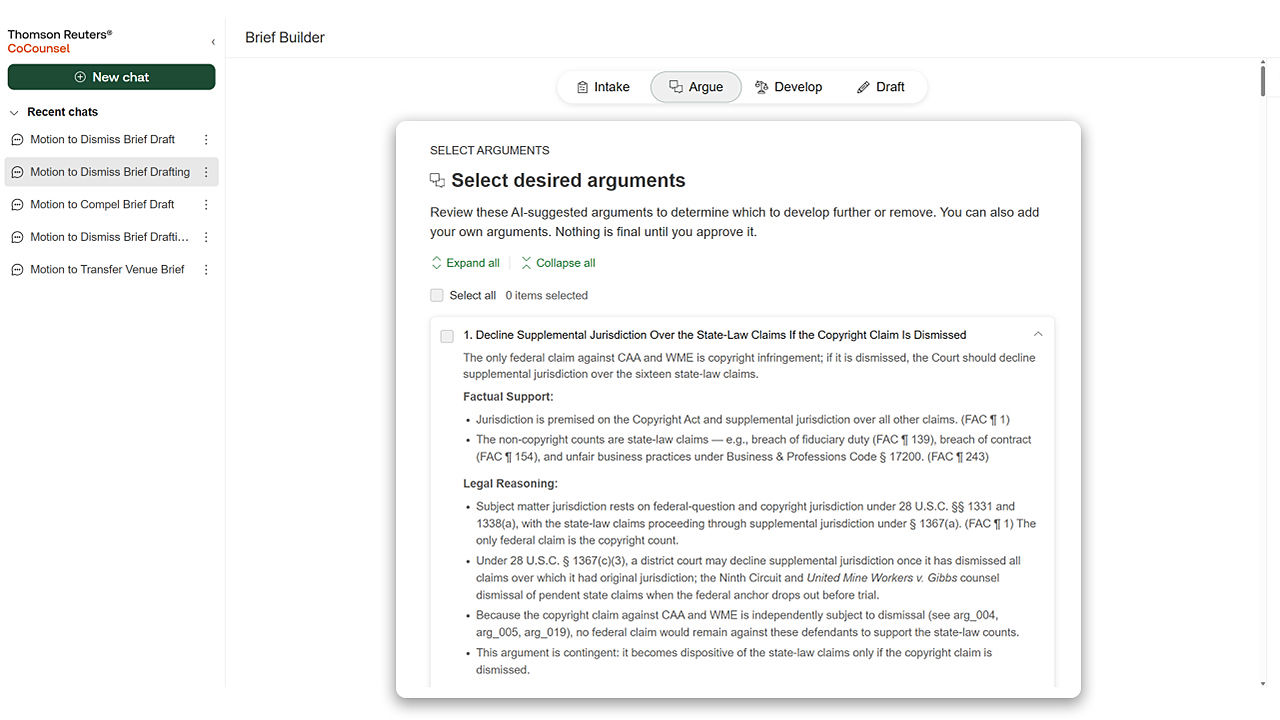
Westlaw Brief Builder
Build litigation briefs from issue framing to argument structure, all grounded in Westlaw and Practical Law authority. The attorney stays in control, reviewing facts, choosing arguments, attaching relevant authority, and validating the draft and citations to build briefs faster under tight deadlines.
Integrated end-to-end drafting
CoCounsel Legal drafts directly in Microsoft Word, reading source documents in your matter — complaints, exhibits, agreements, and precedents — to pull key facts and defined terms, redline against your standard, and cite controlling authority automatically. Practical Law's model language and how-to guidance shape the draft from the start, so every section reflects current industry standards.
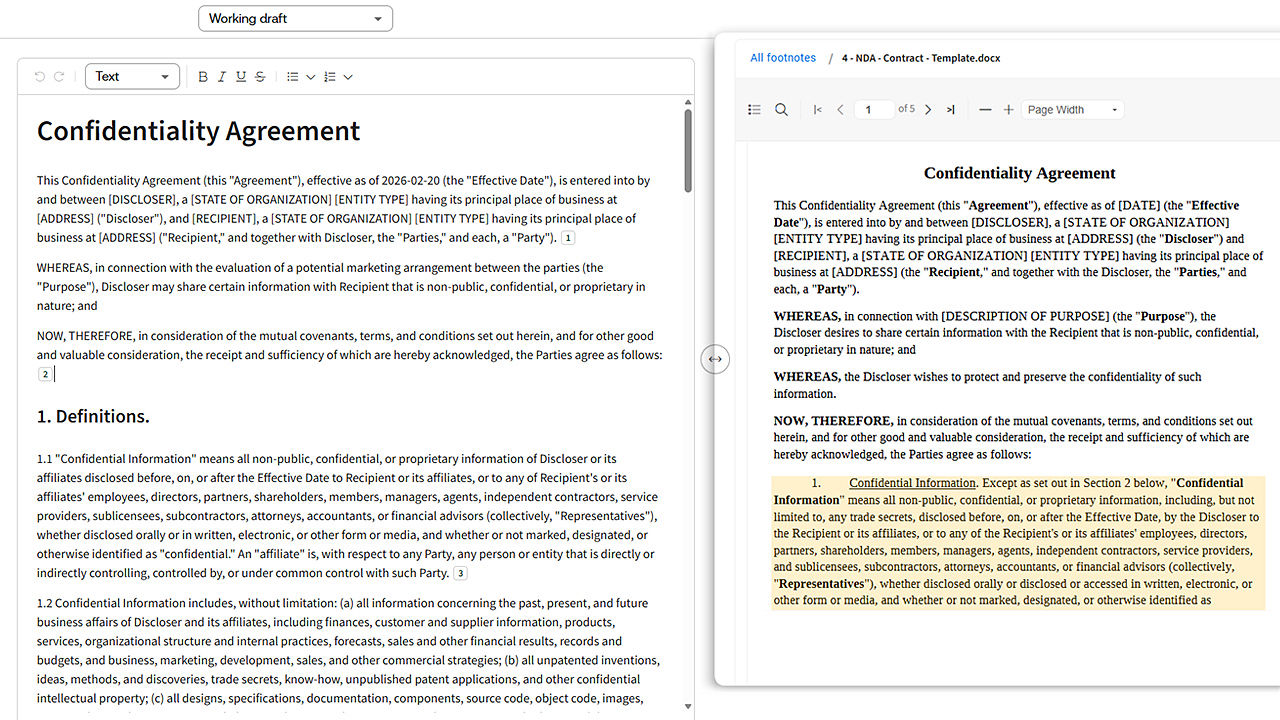
Produce polished, well-supported drafts in less time with CoCounsel Legal
Have questions? Contact a representative.
Matter organization
Adapt CoCounsel Legal to your organization's knowledge, standards, and ways of working — not like a generic model — and receive outputs you can stake your reputation on.
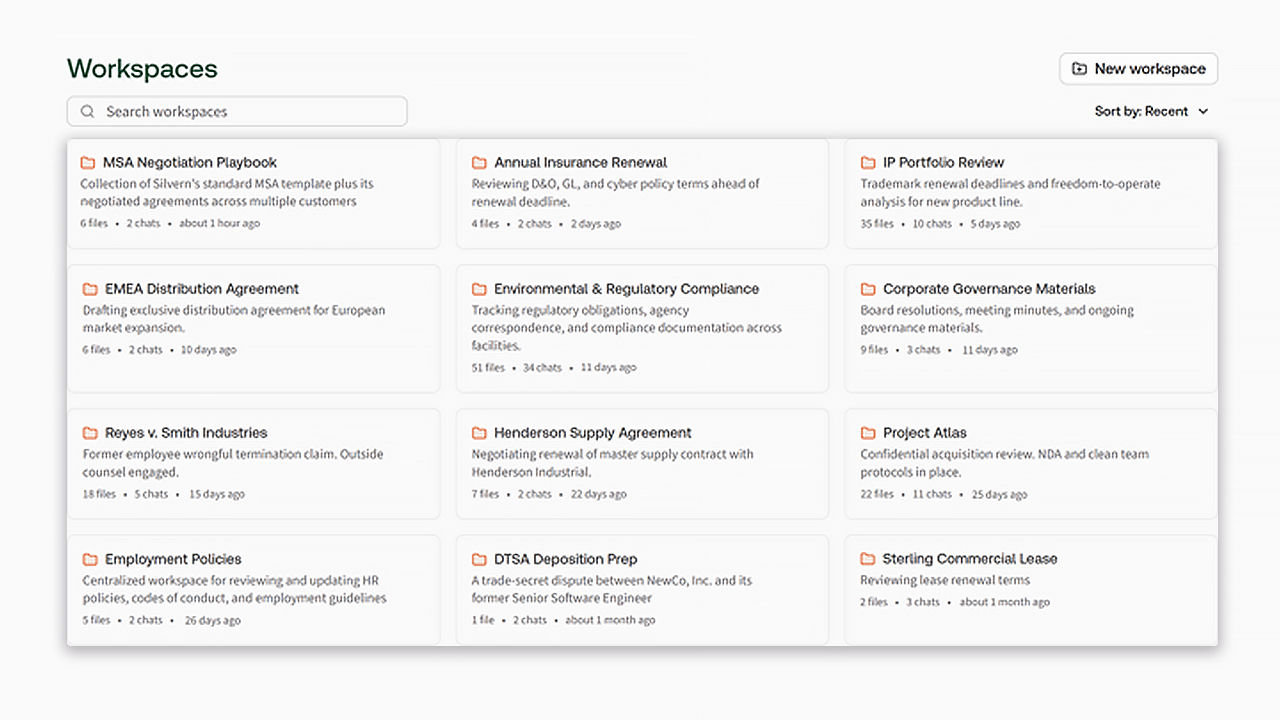
Workspaces
Create a workspace for each matter to hold its documents, precedents, prior positions, and history in one place. That context becomes part of how CoCounsel Legal reasons — so when you return to a matter, you can pick up exactly where you left off.
Work the way your organization practices — on every matter, every time
Have questions? Contact a representative.
Integrations
Securely extend the CoCounsel Legal platform through integrations that unite trusted Westlaw and Practical Law content, advanced AI, and your organization's knowledge and tools into a single intelligent ecosystem.
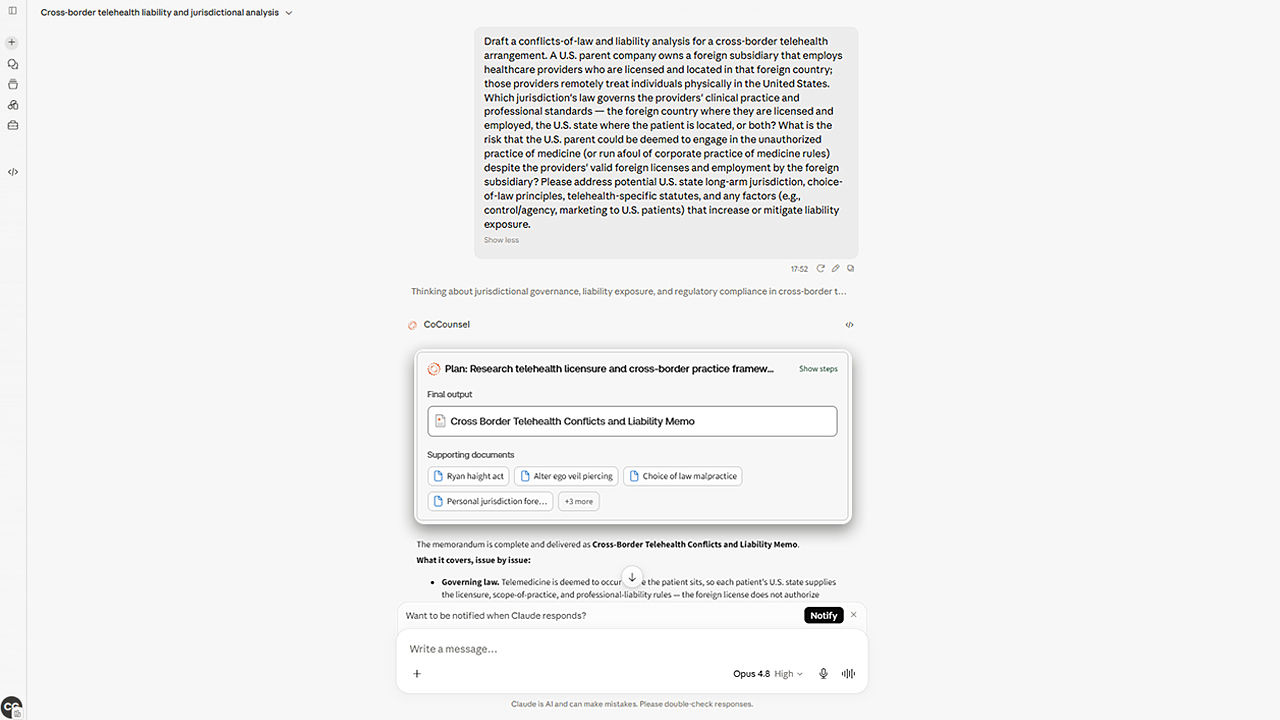
Work with CoCounsel Legal inside Claude
CoCounsel Legal connects securely to Claude through its model context protocol (MCP), so the two work side by side in Claude's interface. CoCounsel Legal handles legal reasoning, research, analysis, and drafting, while Claude takes care of admin.
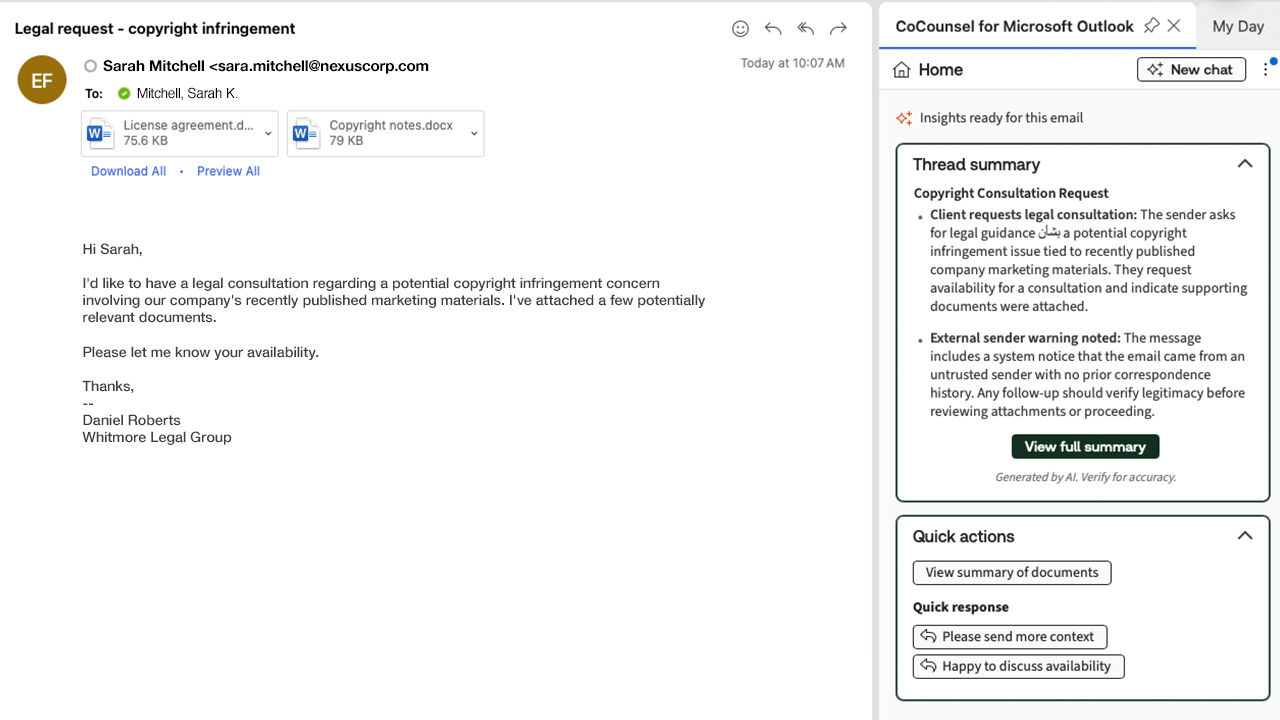
Use CoCounsel within Microsoft 365
Because CoCounsel Legal is built into the Microsoft Suite tools your team relies on every day — Word, Outlook, and beyond — the work happens inside your current workflows, with no new platforms to learn.
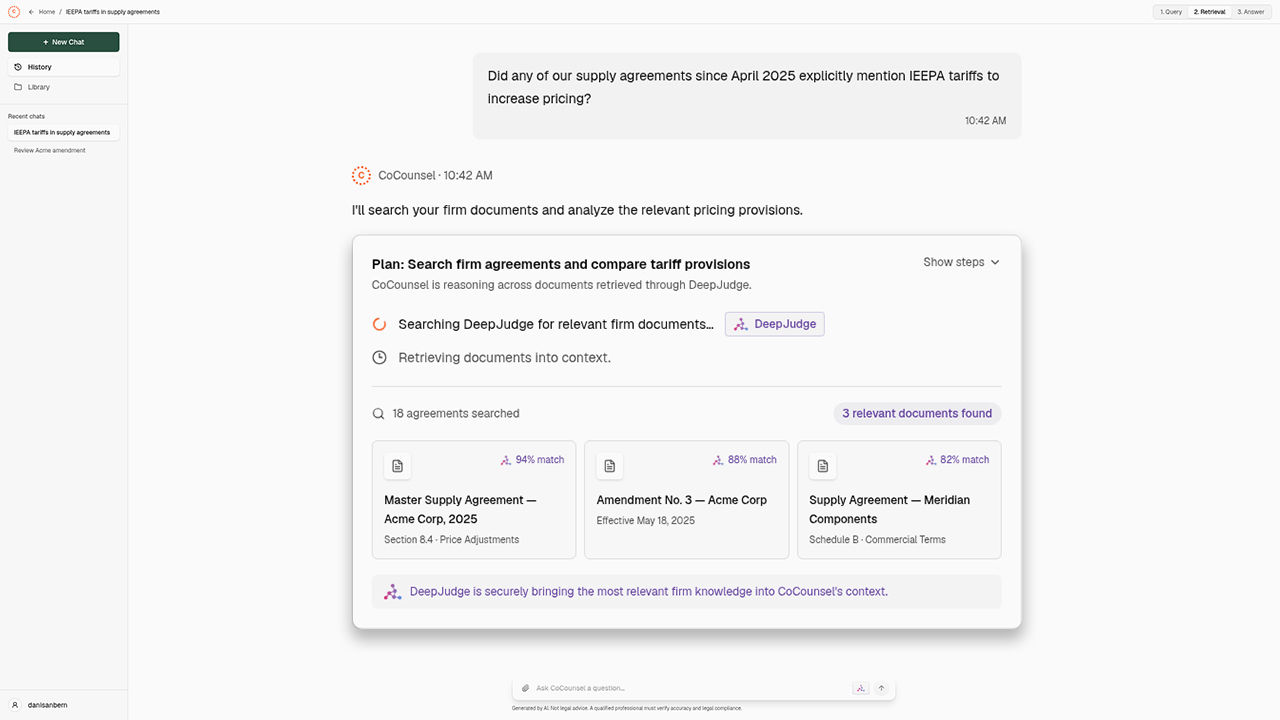
Incorporate your internal content with DeepJudge
DeepJudge unites an organization's own content systems into a single, secure search experience — giving legal professionals access to proprietary knowledge alongside CoCounsel Legal's authoritative content. The result is work grounded in the most relevant internal and external sources.
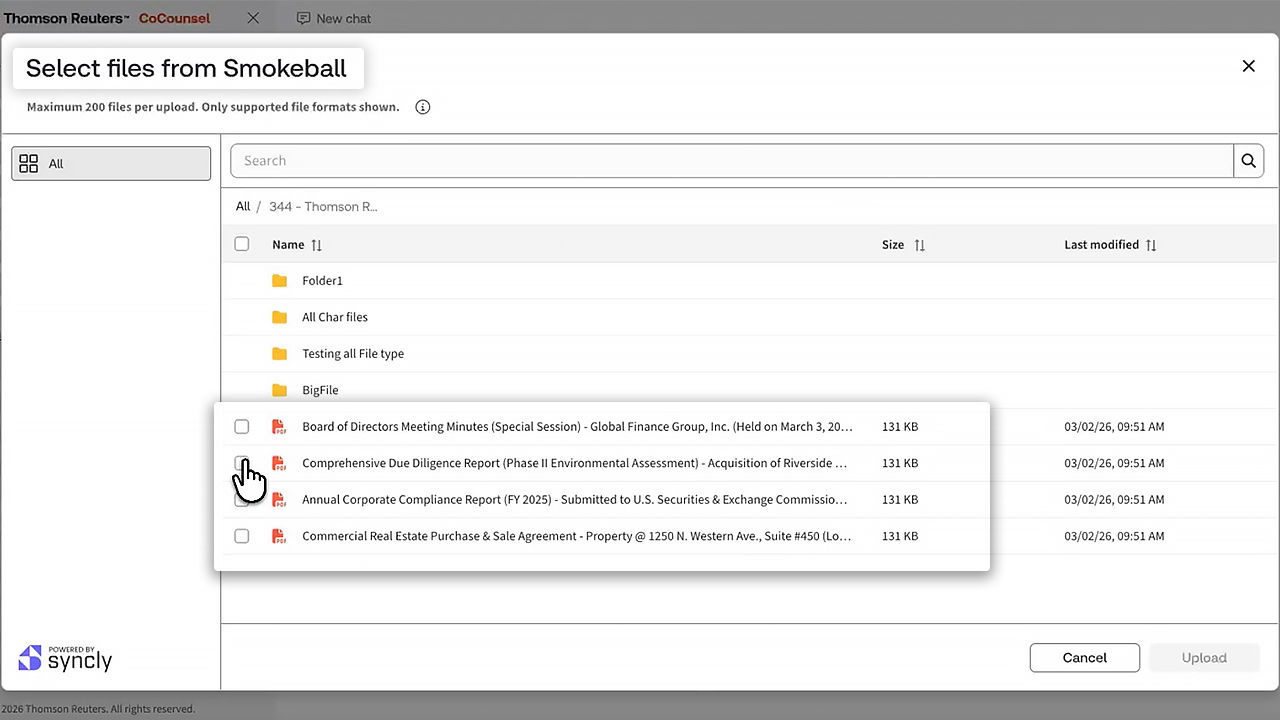
Connect your case files with Smokeball
For many small to midsize firms, Smokeball is the system of record for every case file. CoCounsel Legal extends the value of that case information by connecting matter documents to AI-powered research, drafting, and analysis, helping you move from information to action with less manual effort.
Rest assured, your organization’s data always remains yours — secure, private, and never used to train underlying models
Have questions? Contact a representative.
Questions about CoCounsel Legal? We’re here to support you.
Call 888-728-7677
Call us or submit your email and a sales representative will contact you within one business day.
.png)
